 Just Stack
How high can you stack?
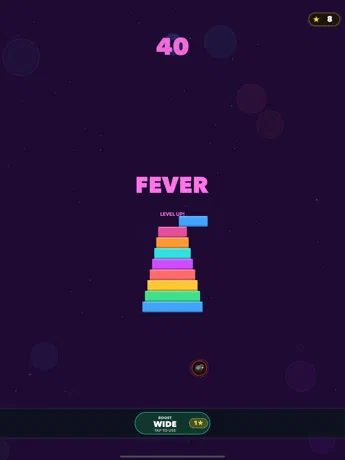
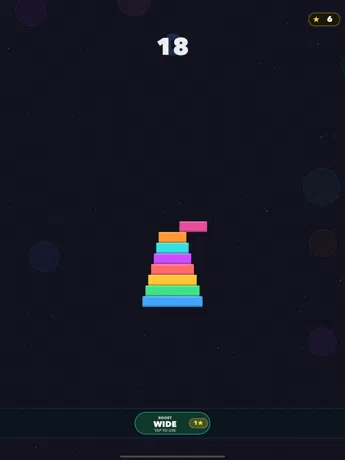
A block slides across the screen. Tap to drop it. Whatever hangs over the edge is trimmed off, so every imperfect drop makes your stack smaller. Miss completely and the run is over. Easy to start, hard to master.
iPhone · iPad
 Scan with your iPhone to download.
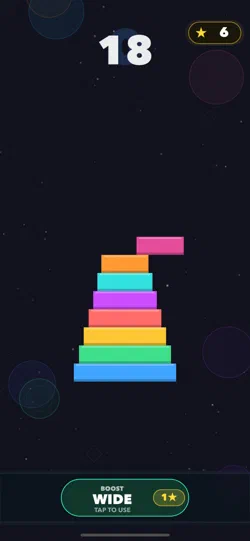
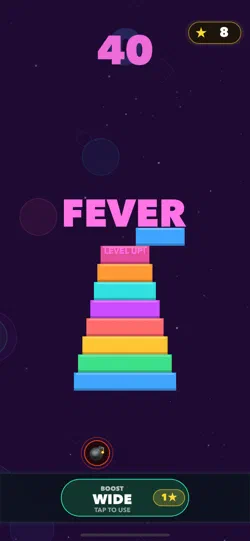
Stack with precision
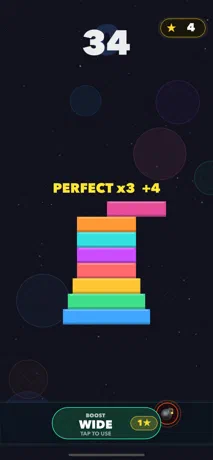
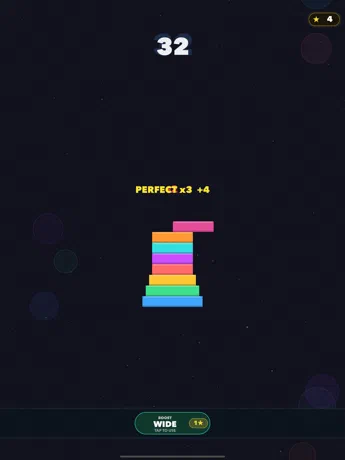
Land each block cleanly to keep your tower wide. Perfect drops in a row build combos and push your score higher.
Stay calm under pressure
Wait too long and the sliding block starts to shrink. Drop it before it disappears.
Stars and the WIDE boost
Catch stars during a run and spend one on WIDE, which brings your next block back to full width when you need a second chance.
Watch for bombs
From a score of 20, bombs start falling, more of them as you climb. Tap them before they hit, or lose part of your stack.
A new stage every 10 blocks
FEVER, BLAZE, INFERNO and more: every 10 points the colors change, so you always know how far you’ve come.
Leaderboards
Track your best run and compare scores with players everywhere through Game Center.
Screenshots
Questions
How do I play?
- Tap anywhere to drop the sliding block onto your stack.
- Whatever hangs over the edge is trimmed off, and the next block is that much narrower.
- Perfect drops in a row make a combo, for extra points.
- Miss the stack completely and the run is over.
The first time you play, a short tutorial shows you the ropes.
How do I get more stars?
You start with 5 stars. Catch the stars that fall during a run, and you get 2 more every day you open the game. Spend 1 on a WIDE boost, or 4 to continue a run once after a miss.
Where are the leaderboards?
In the Scores tab. Sign in to Game Center in Settings on your iPhone or iPad to see where you rank.
Can I turn off the music or vibrations?
Yes: Music, Sound Effects and Haptic Feedback each have a switch in the game’s Settings tab.
Does Just Stack collect my data?
No. Your best score and stars stay on your device, and the game has no ads and no tracking. Scores you post to the leaderboards go through Apple’s Game Center.
Something else? Email support@imaginatr.com · Privacy policy


